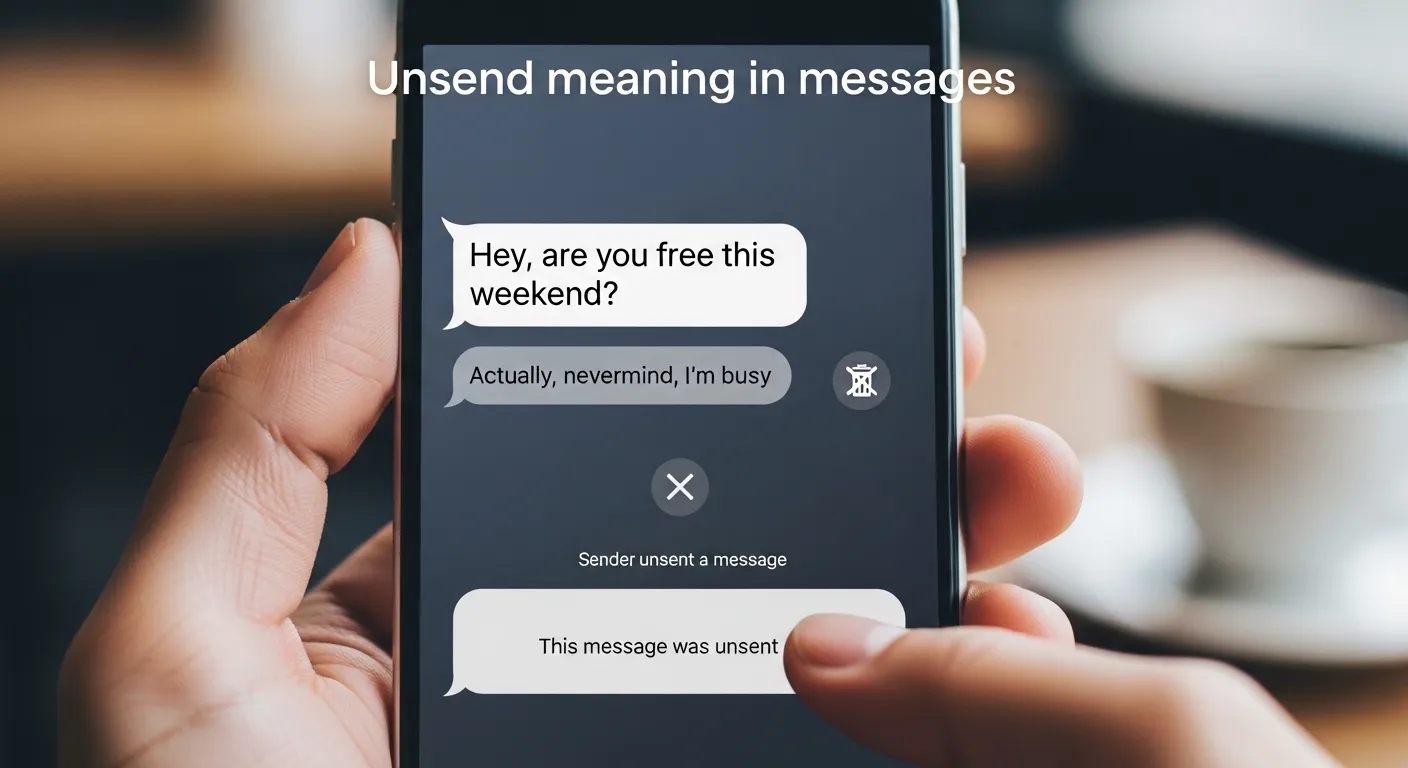
In today’s digital world, messaging apps have completely changed how we communicate. Whether you’re chatting with friends, sending work updates, or texting family, mistakes happen. Maybe you sent the wrong message, typed something embarrassing, or messaged the wrong person entirely. That’s where the unsend meaning in messages becomes important.
The term “unsend” has become one of the most commonly used features in modern communication apps like WhatsApp, Instagram, Messenger, Telegram, and iMessage. But what exactly does it mean? Does unsending a message delete it forever? Can the other person still see it? And how does it actually work?
In this guide, we’ll explain the unsend meaning in messages, how the feature works across different platforms, common misconceptions, real-life examples, and practical tips for using it effectively.
What Does Unsend Mean in Messages?
The word unsend simply means to remove or cancel a message after it has already been sent.
When you unsend a message, you are trying to take back something you sent by mistake or no longer want the other person to see. Depending on the messaging platform, the message may disappear from:
- Your chat
- The recipient’s chat
- Group conversations
- Notifications (sometimes)
In simple words:
Unsend = Delete a sent message from the conversation.
For example:
Before unsending:
You: “I hate this meeting.”
Oops — that was meant for your friend, not your boss.
You quickly hit “Unsend”, and the message disappears from the chat.
However, whether the recipient already saw it depends on timing and app settings.
Why Is the Unsend Feature So Popular?
The unsend feature in messages has become incredibly popular because people make mistakes all the time.
Here are some common reasons why people unsend messages:
1. Sending a Message to the Wrong Person
This is one of the biggest reasons.
Example:
You accidentally send:
“I can’t stand this customer 😩”
…to the customer instead of your coworker.
Awkward? Definitely.
That’s where unsending becomes a lifesaver.
2. Correcting Typing Mistakes
Sometimes people send messages full of spelling mistakes or autocorrect disasters.
Example:
Instead of:
“See you soon!”
You accidentally type:
“Sue you soon!”
Many users unsend and rewrite the message.
3. Avoiding Embarrassing Situations
We’ve all had moments of regret after sending something emotional, angry, or overly personal.
People often unsend messages to avoid:
- Relationship drama
- Misunderstandings
- Workplace embarrassment
- Personal oversharing
4. Protecting Privacy
Sometimes a person accidentally sends:
- Phone numbers
- Password hints
- Personal photos
- Addresses
- Sensitive information
Unsending can help reduce privacy risks.
Unsend Meaning on Different Messaging Apps
Not every app handles unsending messages the same way. Here’s how major platforms work.
WhatsApp Unsend Meaning
On WhatsApp, unsending is called:
“Delete for Everyone.”
When you use this feature:
- The message disappears from both chats
- Users see a notice saying:
“This message was deleted.” - There is usually a time limit to unsend messages
Example:
You: “Party tonight at 7!”
You meant tomorrow.
You tap:
Delete for Everyone
Then resend the corrected message.
Instagram Unsend Meaning
On Instagram DMs, unsend means removing a message completely from the conversation.
Unlike WhatsApp:
- Instagram often removes the message without leaving visible text behind
- The other person may not see it if they haven’t opened the chat
Example:
You accidentally send a cringe message at midnight.
You instantly tap:
Unsend
And hope nobody saw it.
Facebook Messenger Unsend Meaning
Messenger allows users to:
- Remove for everyone
- Remove for yourself
When removed for everyone:
- Others may see:
“You unsent a message.” - Timing matters
iMessage Unsend Meaning
Apple introduced an Undo Send feature for iMessage.
Users can:
- Edit messages
- Unsend messages within a limited time
However:
- Older iPhones may still see the original message
- Timing matters significantly
Telegram Unsend Meaning
Telegram offers one of the strongest delete systems.
Users can:
- Delete messages anytime
- Remove chats for both sides
- Delete entire conversations
This makes Telegram popular for privacy-focused users.
Does Unsend Mean the Message Is Gone Forever?
This is one of the biggest misunderstandings online.
The short answer:
Not always.
Here’s why.
Sometimes the Recipient Already Saw It
If the person opened the message immediately, unsending may not matter.
Example:
You send:
“I’m quitting this job.”
Then unsend after 10 seconds.
Too late if they already read it.
Notifications May Still Show It
Many phones display previews in notifications.
Even if you unsend:
The person may already have seen:
“Hey, I need to tell you something…”
from the notification screen.
Screenshots Exist
Another reality:
People can screenshot messages.
Once someone captures it, unsending won’t erase the screenshot.
Third-Party Notification Apps
Some apps store notifications.
Meaning:
Even deleted messages can sometimes still be recovered.
Difference Between Delete and Unsend
People often confuse delete and unsend, but they are different.
| Feature | Delete | Unsend |
|---|---|---|
| Removes message from your chat | Yes | Yes |
| Removes message for others | Usually no | Yes |
| Works after sending | Yes | Yes |
| Prevents recipient from reading | Sometimes | Sometimes |
Simple Explanation
Delete: Removes message only for you.
Unsend: Attempts to remove message for everyone.
This distinction matters a lot.
Real-Life Examples of Unsend in Messages
Here are everyday situations where people use unsend.
Example 1: Wrong Chat Disaster
Sarah sends:
“This date is so boring 😩”
Oops.
She accidentally sends it to the date.
She immediately unsends.
Crisis avoided—hopefully.
Example 2: Workplace Mistake
A worker messages:
“The boss is impossible today.”
Unfortunately…
The boss receives it.
Quick unsend attempt.
Lesson learned.
Example 3: Family Group Embarrassment
Someone sends a meme meant for friends into a family WhatsApp group.
Panic mode activated.
Unsend immediately.
Common Misconceptions About Unsend Meaning
Let’s clear up some confusion.
Misconception 1: Unsend Means Nobody Saw It
Reality:
They may have already read it.
Misconception 2: Unsend Erases Evidence
Reality:
Screenshots exist.
Misconception 3: Every App Works the Same
Reality:
Each messaging platform handles unsending differently.
Misconception 4: You Can Unsend Anytime
Reality:
Many apps have time limits.
Psychological Side of Unsending Messages
Interestingly, unsending messages reflects human behavior.
People unsend because of:
- Regret
- Anxiety
- Overthinking
- Fear of judgment
- Miscommunication
Sometimes users even panic after sending a perfectly normal text.
Example:
You send:
“Good morning 😊”
Then overthink:
“Was that weird?”
And suddenly unsend it.
Modern texting anxiety is real.
Benefits of the Unsend Feature
The unsend message feature provides many advantages.
1. Reduces Mistakes
Nobody is perfect.
Unsend gives second chances.
2. Improves Privacy
Sensitive information can be removed quickly.
3. Prevents Conflict
Angry messages sent in emotional moments can be taken back.
4. Encourages Better Communication
Users can correct accidental misinformation.
Downsides of Unsending Messages
Despite benefits, there are disadvantages.
1. Creates Curiosity
Sometimes seeing:
“This message was deleted”
makes people even more curious.
They instantly ask:
“What did you delete?”
2. Doesn’t Always Work
Timing matters.
3. Can Create Suspicion
Repeatedly unsending messages may make people uncomfortable.
Example:
Someone sends and deletes texts every day.
Naturally, others wonder why.
Alternative Terms Related to Unsend Meaning
You may also hear related terms online.
Delete Message
Removing a message.
Recall Message
Often used in email systems.
Undo Send
Common term in iMessage and email.
Remove for Everyone
Facebook Messenger term.
Delete for Everyone
WhatsApp wording.
These terms are similar but may work differently.
Tips for Using Unsend Wisely
Want to avoid texting disasters?
Try these practical tips.
Read Before Sending
Always double-check:
- Recipient name
- Spelling
- Tone
- Attachments
Pause Before Emotional Messages
Avoid sending angry texts immediately.
Wait a few minutes.
Don’t Rely Only on Unsend
Remember:
People may already see your message.
Use Edit Features
Some apps allow editing instead of deleting.
Sometimes editing looks more natural.
Why “Unsend Meaning in Messages” Is Trending
The phrase unsend meaning in messages has become popular because:
- Messaging apps are everywhere
- Social media communication dominates
- Younger generations use texting slang heavily
- Privacy concerns are increasing
People constantly search:
- “What does unsend mean?”
- “Can someone see unsent messages?”
- “Does unsend delete forever?”
- “What happens when you unsend a text?”
It’s a feature people use almost daily.
Frequently Asked Questions (FAQs)
1. What does unsend mean in messages?
Unsend means removing a message after it has already been sent, usually from both sides of the conversation.
2. Can someone still see an unsent message?
Yes, sometimes. If they already opened the chat, saw notifications, or took screenshots, they may still see it.
3. Is unsend the same as delete?
No. Delete often removes the message only for you, while unsend removes it for everyone.
4. Do all apps have an unsend feature?
No, but many popular apps like WhatsApp, Messenger, Instagram, Telegram, and iMessage support it.
5. Does unsending notify the other person?
Sometimes. Apps like WhatsApp and Messenger may show:
“This message was deleted”
or
“You unsent a message.”
6. Can I recover an unsent message?
Usually no, unless you copied it elsewhere or used backup systems.
7. Why do people unsend messages?
Common reasons include mistakes, privacy concerns, emotional texting, embarrassment, or sending something to the wrong person.
Final Thoughts
Understanding the unsend meaning in messages is important in today’s fast-moving digital world. At its core, unsend means taking back a message after it has already been sent. It’s a useful feature for correcting mistakes, protecting privacy, and avoiding awkward moments.
However, it’s not magic. The other person may still see the message through notifications, screenshots, or quick viewing. That’s why it’s always smart to think before you hit send.
The best approach?
Use unsend as a backup—not your main texting strategy.
Before sending any message, double-check the recipient, read your text carefully, and pause before emotional responses. A few extra seconds can save a lot of awkwardness later.